
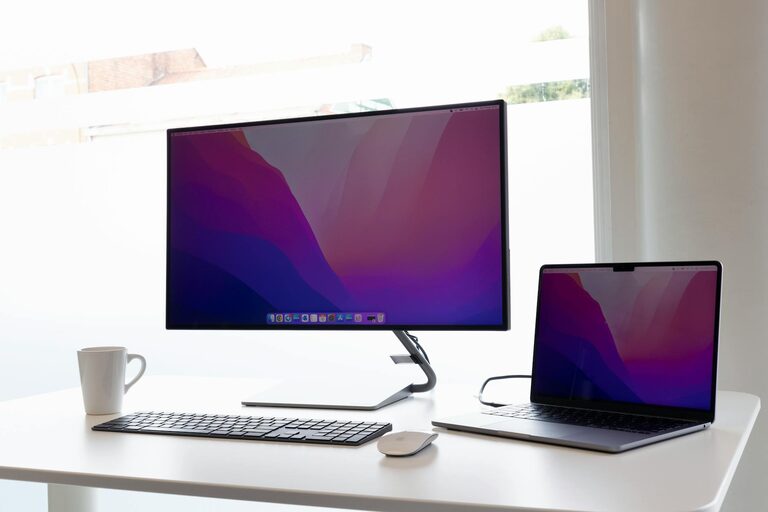
In today’s connected world, our digital devices often become cluttered with files, apps, emails, and notifications. This clutter can make it harder to find what you need, decrease your productivity, and even add unnecessary stress. Decluttering your digital life is a great way to create space, improve focus, and better enjoy your technology without feeling overwhelmed.
In this post, we’ll explore practical steps to help you tidy up your digital environment and maintain order moving forward.
Why Declutter Your Digital Life?
Just as a clean home promotes relaxation and productivity, an organized digital space can help your mind feel clearer and your days run smoother. Here are some benefits of digital decluttering:
– Improved Focus: Reducing distractions from unnecessary notifications and apps.
– Easier Access: Finding files, emails, and apps quickly without frustration.
– Reduced Stress: Less visual noise means a calmer digital experience.
– Better Performance: Removing unused apps and files frees up device storage and improves speed.
– Enhanced Security: Deleting old files and accounts lowers the risk of data breaches.
Now, let’s look at how to simplify and organize your digital life step-by-step.
Step 1: Declutter Your Desktop and Folders
A cluttered desktop is one of the biggest sources of digital chaos.
– Delete Unnecessary Files: Remove files you no longer need or back them up in an external drive or cloud storage.
– Organize Remaining Files: Create clear, well-labeled folders by category—work, personal, photos, receipts, etc.
– Use Shortcuts Wisely: Limit desktop shortcuts to only the most frequently used items.
– Set a Routine: Schedule a weekly or monthly tidy-up to keep your desktop clean.
Step 2: Clean Up Your Email Inbox
A cluttered inbox can be overwhelming and make important messages easy to miss.
– Unsubscribe from Unwanted Newsletters: Use tools or manual checks to remove subscriptions you don’t read.
– Create Folders and Labels: Sort emails into categories such as Work, Personal, Bills, and Important.
– Use Filters: Automate sorting of emails to reduce manual effort.
– Archive or Delete: Move older emails out of your main inbox by archiving or deleting.
– Set Aside Time Daily: Spend a few minutes reviewing and clearing emails to prevent backlog.
Step 3: Organize Your Apps and Software
Too many apps can slow down your device and distract you.
– Uninstall Unused Apps: Remove apps you haven’t used in the last month or those with overlapping functions.
– Group Apps Logically: On smartphones or tablets, place apps into folders by category like Social, Productivity, or Finance.
– Review Permissions: Periodically check app permissions and remove access you’re uncomfortable with.
– Update Regularly: Keep your apps updated for security and performance improvements.
Step 4: Manage Your Passwords
Passwords often get forgotten or recycled, creating security risks.
– Use a Password Manager: These tools store encrypted passwords and can generate strong, unique passwords for each account.
– Clean Up Old Accounts: Delete accounts on websites and services you no longer use.
– Enable Two-Factor Authentication: Add an extra layer of protection for sensitive accounts.
Step 5: Streamline Your Social Media
Social platforms can feel cluttered with constant updates and notifications.
– Review Your Following List: Unfollow accounts that no longer interest you or contribute positively.
– Turn Off Non-Essential Notifications: Limit alerts to only important interactions.
– Set Time Limits: Use built-in app tools to monitor and restrict daily usage.
– Schedule Digital Detoxes: Regular breaks from social media can refresh your mind and reduce digital noise.
Step 6: Backup and Secure Your Data
Keeping your data safe and accessible is crucial.
– Choose a Backup Method: Use external drives, cloud storage, or both to regularly back up important files.
– Automate Backups: Set your system to back up data automatically on a schedule.
– Keep Software Updated: Protect devices with the latest security patches.
– Use Antivirus and Security Tools: Help safeguard your devices against malware and threats.
Maintaining Your Digital Space: Tips for the Long Term
Decluttering is not a one-time event. To keep your digital life organized:
– Schedule Regular Reviews: Whether weekly or monthly, allocate time to tidy files and apps.
– Adopt the “One In, One Out” Rule: For every new app or digital item added, remove an old one if it’s no longer needed.
– Be Mindful of Downloads: Avoid saving files unless necessary.
– Keep Your Inbox Trimmed: Delete or archive regularly to maintain control.
—
By following these steps, you’ll create a more organized digital environment that reduces stress and boosts productivity. Remember, small efforts done consistently will lead to a tidy, manageable, and enjoyable digital life.
Happy decluttering!
